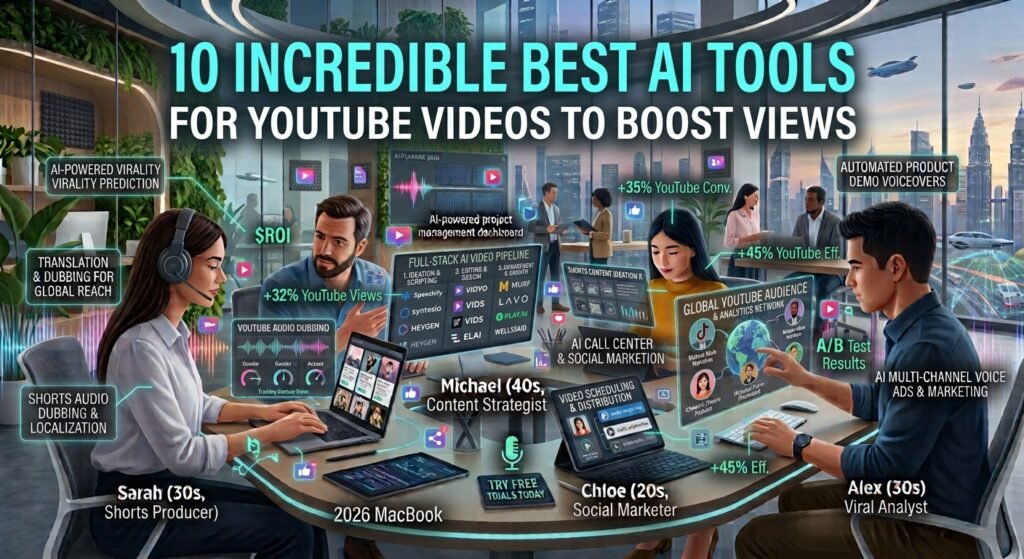
Stop wasting endless hours editing your video clips. You can now use the best ai tools for youtube videos to create stunning content in minutes.
Video marketing is no longer optional for small businesses. According to studies on Statista, billions of users watch videos online every day. If you want to build an effective strategy first, read our comprehensive video marketing guide. However, making videos takes a lot of time. You have to write scripts, record audio, and edit clips. This is where artificial intelligence can help you grow.
Using the best ai tools for youtube videos can save you hundreds of dollars. You do not need a big production team or expensive gear. With these smart apps, you can automate almost every step. In this guide, we will show you how to scale your channel fast. We will cover tools for writing, editing, voiceovers, and marketing.
Why Use the Best AI Tools for YouTube Videos?
Small businesses often face a common hurdle. You want to make videos, but you lack the time. Hiring a production agency costs too much. A single video can cost thousands of dollars. The best ai tools for youtube videos solve this issue. They act as your virtual production team.
These tools help you work much faster. An AI tool can write a script in minutes. Another tool can edit your footage with one click. This lets you publish more content. More content means more reach for your brand. More reach leads to more sales.
Also, consistency is key on YouTube. The platform rewards creators who post regularly. If you post once a month, you will not grow. AI allows you to post every week or even every day. It handles the heavy lifting while you focus on your business.
YouTube Video Marketing Statistics
Before diving into the software, let us look at the data. Video content continues to dominate the internet. These key statistics show why starting today is critical for your brand’s growth.
| Key Metric | Current Statistic | Source |
|---|---|---|
| Daily Active YouTube Users | Over 122 million | Statista |
| Marketers Using Video Content | 86% of businesses | Wyzowl Study |
| Consumers Buying After Watching | 84% of viewers | Wyzowl Study |
AI Tools for Scriptwriting and Content Planning
Great videos start with great planning. You need a solid concept and a clear script. If your script is boring, viewers will click away. Fortunately, the best ai tools for youtube videos make planning simple.
Jasper is an amazing tool for writing scripts. It has templates made just for video creators. You just type in your main topic and target audience. Jasper then writes an engaging hook, body, and call to action. It uses simple words that keep people watching.
Another great choice is ChatGPT. You can use it as a brainstorming partner. Ask it to give you ten video ideas for your niche. Then, ask it to outline the best idea. You can refine the tone to match your brand. It feels like chatting with a professional writer.
These tools eliminate blank-page syndrome. You will never stare at a blank screen again. You get instant drafts that you can edit and improve. This saves you hours of writing time every single week.
Editing and Video Creation Tools to Save Time
Editing is often the hardest part of making videos. It requires learning complex software. It also takes hours of tedious cutting and trimming. The best ai tools for youtube videos change this completely. They make video editing as easy as editing a text document.
Descript is a game-changer for business owners. It converts your video audio into text. If you want to delete a sentence from your video, you just delete the text. Descript instantly cuts that part from the video. It also removes filler words like “um” and “uh” automatically.
InVideo is another powerful creation tool. It helps you turn blog posts into videos. You paste your article link, and the AI creates a video. It selects stock footage, adds text overlays, and applies transitions. You can customize the result in a few minutes.
For those who do not want to be on camera, Synthesia is perfect. This tool uses AI avatars. You type your script, and a lifelike digital human speaks it. This is ideal for training videos, product demos, or simple brand explainers. You do not need a camera, microphone, or studio.
AI Audio and Voiceover Tools for Crisp Sound
People will tolerate poor video quality, but they will not tolerate bad audio. If your voice sounds muffled, viewers will leave. Many small business owners record in noisy offices. The best ai tools for youtube videos can fix your sound problems easily.
Adobe Podcast has a free tool called Enhance Speech. It is incredibly simple. You upload your noisy audio file. The AI removes background noise and echoes. It makes your cheap microphone sound like a professional studio mic. This is a must-have tool for any remote creator.
ElevenLabs is another top choice for audio. It creates realistic AI voices. You can use these voices to read your scripts. They sound very natural and have human emotions. You can even clone your own voice. This allows you to create voiceovers just by typing.
Using these tools ensures your videos sound professional. You do not need to buy acoustic foam or expensive microphones. The software does the hard work for you. This keeps your budget low and your quality high.
Optimizing Your Channel with Best AI Tools for YouTube Videos
Creating a great video is only half the battle. You also need people to find it. YouTube is a massive search engine. You must optimize your titles, descriptions, and tags. The best ai tools for youtube videos help you rank higher.
VidIQ is an amazing tool for channel growth. It analyzes your channel and suggests keyword ideas. It shows you which topics have high search volume and low competition. It also uses AI to generate catchy video titles. These titles are designed to get clicks.
TubeBuddy is another essential platform. It offers a suite of tools to test your thumbnails. Thumbnails are the small images viewers see first. TubeBuddy lets you test two different thumbnails to see which one performs better. This simple test can double your views over time.
By using these optimization tools, you stop guessing what works. You use data to make decisions. This leads to faster channel growth and more organic traffic. Your small business gets more exposure without spending money on ads.
Comparing the Best AI Tools for YouTube Videos
Choosing the right software can feel overwhelming. Every tool has different features and pricing. To help you decide, we created a handy comparison table. This table highlights some of the best ai tools for youtube videos.
| Tool Name | Primary Use | Key Benefit | Starting Price |
|---|---|---|---|
| Jasper | Scriptwriting | Overcomes writer’s block fast | Paid |
| Descript | Video Editing | Edit video by editing text | Free plan available |
| Synthesia | AI Avatars | No camera or mic needed | Paid |
| Adobe Podcast | Audio Cleanup | Removes background noise | Free basic tools |
| VidIQ | SEO and Growth | Finds high-traffic keywords | Free plan available |
This table shows that you do not need a huge budget to start. Many of these tools offer free versions. You can try them out before spending any money.
How to Build Your AI Video Production Workflow
Now you know about the best ai tools for youtube videos. But how do you use them together? Creating a smooth workflow is key to saving time. Here is a simple step-by-step process you can follow.
First, find your topic. Use VidIQ to research keywords that your audience is searching for. This ensures you make videos people actually want to watch. Do not guess. Let the data guide your choices.
Second, write your script. Use ChatGPT to outline your main points. Then, use Jasper to flesh out the script. Keep your sentences short and punchy. Make sure to include a clear call to action at the end.
Third, record or generate your video. If you want to be on camera, record your video using your phone. If you are shy, use Synthesia to create an AI avatar. If you have an existing article, use InVideo to turn it into visual slides.
Fourth, clean up your audio. Run your voice recording through Adobe Podcast. This step takes less than a minute. It instantly removes hiss, hum, and echo from your track. Your viewers will appreciate the professional sound quality.
Fifth, edit the final video. Import your clips and audio into Descript. Edit out any mistakes or filler words. Add text overlays and simple transitions. Export your finished video.
Finally, upload and optimize. Use TubeBuddy to create an eye-catching thumbnail. Write a description using keywords. Publish your video and track its performance over the next few weeks.
Tips for Keeping Your AI Videos Authentic
While AI tools are powerful, you must use them wisely. Do not let the technology ruin your brand’s unique voice. Viewers connect with real people and real stories. Here are a few tips to keep your videos authentic.
- Add your own stories: AI does not know your personal experiences. Share your real-life lessons and customer success stories.
- Edit everything: Never copy and paste AI scripts directly. Rewrite them slightly to sound more like yourself.
- Focus on value: Do not just make videos because it is easy. Ensure every video solves a real problem for your viewers.
- Show your face when possible: While avatars are great, real human faces build trust faster. Mix AI tools with your own real footage.
By blending human creativity with AI speed, you get the best of both worlds. You save time while building deep trust with your target market. This is the secret to winning on modern video platforms.
Frequently Asked Questions
Are these AI video tools safe to use on YouTube?
Yes, they are safe. YouTube allows AI-generated content on its platform. However, you must follow their community guidelines. Do not create misleading or harmful content. If you use realistic AI voices or avatars, YouTube may ask you to label your video as altered or synthetic. Always check their latest policies to stay compliant.
Can I use the best ai tools for youtube videos for free?
Yes, you can make videos for free. Many of the best ai tools for youtube videos offer free plans. You can use ChatGPT to write scripts for free. Adobe Podcast offers free audio cleaning tools. Descript has a basic free tier for editing. You can start your channel without spending any money and upgrade as you grow.
Will YouTube monetize AI-generated videos?
Yes, YouTube monetizes AI-generated videos. The main factor is the value your video provides. If your video is just a slideshow of stock images with a robotic voice, it might get rejected. However, if your video is original, educational, and engaging, it can easily qualify for monetization. Focus on creating high-quality content that viewers love.
Do I need a fast computer to use AI video tools?
No, you do not need a powerful computer. Most of these tools run in your web browser. The heavy processing happens on cloud servers. This means you can create high-quality videos using a basic laptop or Chromebook. All you need is a stable internet connection to upload your files and download the finished videos.
Last updated: August 24, 2026
[Author Bio: Add author name, credentials, and relevant expertise here before publishing.]
Have questions or ready to get started? Get in touch with our team.